Lightning Bolt Computers (734) 395-9367 http://www.lightbolt.com
9
Quote
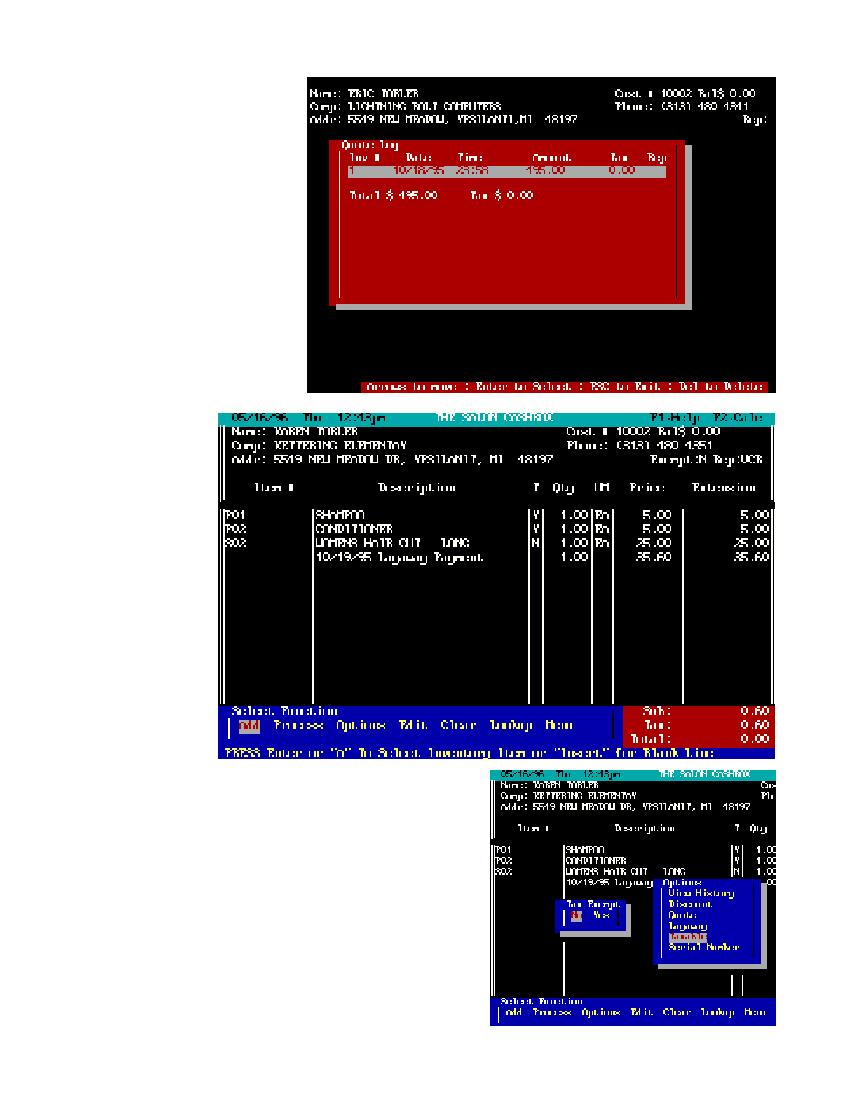
* The quote option is to retrieve quotes you have
prepared for a customer. You must have a cus-
tomer entered into the main work screen for this
function to run. After highlighting quote and press-
ing
E
a quote log will appear and give you the
choice of picking any past quotes by date. Using
the
YZ
and pressing
E
will put the chosen
quote into the work screen. If there are more items
than can be displayed on the screen use your
YZ
to scroll the list up or down. You can add or delete
inventory items or process it like any other in-
voice.
Layaway
* LAYAWAY: This option
runs exactly like quote. After
pressing the
E
key a log
will appear. By using the
YZ
and pressing
E
on
the highlighted item you will
retrieve that layaway trans-
action to the work screen. If
there are more items than can
be displayed on the screen
than use your
YZ
to scroll
up or down the list. From there
you can
process the layaway by mak-
ing payments on it. The lay-
away item will stay in
the log until it�s paid off. You
cannot edit a recalled layaway
item. If you need
to make changes to layaway
items you must payoff the
layaway item first and
then return the item to stock.
Then you can re-layaway
with the changes you
would like to make.
Taxable
* By pressing
E
on this function you will be given the choice of making this customer
taxable or not for the items in this invoice. Use the
R
to select yes and press
E
or press
E
to select no.