Lightning Bolt Computers (734) 395-9367 http://www.lightbolt.com
8
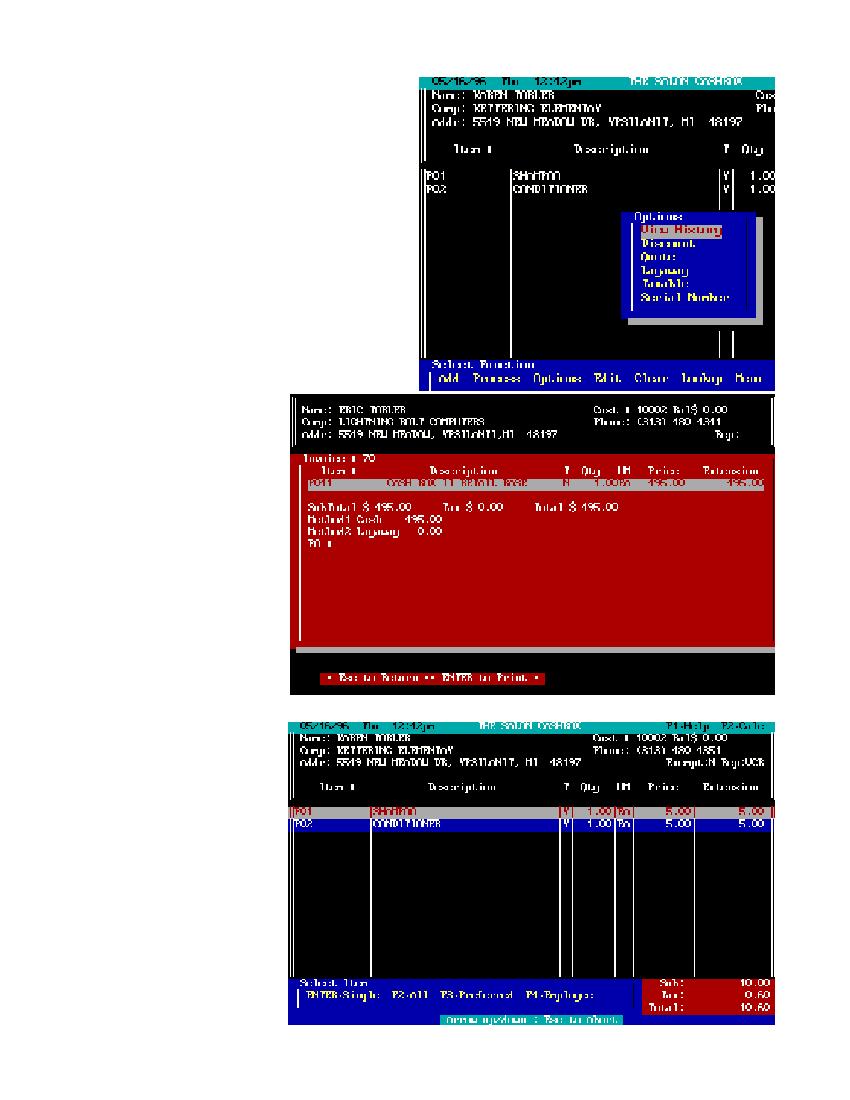
Options
* From here you can access the following features,
customer history, discount, quote, layaway, tax and
serial number. Use the YZ keys to move to your
selection and press E.
Customer History
* After you have selected a customer for the main work
screen this function will bring up, on a new screen an
the past dates and invoice numbers for this customer.
By using your YZ you can select the invoice you wish
to review. If there are more items then can be displayed
on the screen use your YZ to scroll the list up or down.
When you highlight an item and pressE the screen
will clear and a copy of the past invoice will be
displayed. After reviewing information you can return
to the main screen by pressingX or reprint the invoice
by pressing E.
Discount
* Discounting the invoice can be
done in one of two ways, either by
single item/s or by the entire in-
voice. This can be done by mov-
ing theYZ and highlighting the
item you wish to discount or by
pressing the @ key to discount
the entire invoice. If there are
more items then can be displayed
on the screen use your YZ to
scroll up or down the list. After
making your choice a box will
appear and ask you how much
you want to discount. You have
two choices here - if you type in
the number 10 and press E
you will discount $10.00, if you
type 10% you will discount 10
percent of the retail amount. Af-
ter making your choice you are
returned to the main work screen
and a discount line is added to
your invoice. Your original price
will now have an asterisk added
to it so you can see where the
changes are made to the amount.
The # preferred and$ employee
discounts are by percentages and
set when you configure your sys-
tem.